

by Lovepreet Singh
The best starting point for automating HR workflows and approvals in Oracle HCM Cloud is Oracle's own approval tooling: Manage Approval Transactions for standard changes, and BPM Worklist for advanced rules and escalations. RChilli complements those tools by automating recruiting work such as Enhanced Candidate Profile Import and candidate matching.
Oracle handles hires, transfers, promotions, salary changes and terminations. RChilli handles the high-volume candidate work upstream of those transactions.
It's easy to assume a new tool is the answer when approvals feel slow. Often the built-in routing already does more than people realize. In this article, we walk through what to use, how to configure and test it, what to watch out for, and where extra help makes sense.
Key takeaways
- Start native: Oracle's built-in approval tools are designed to cover standard HR transactions without extra software.
- Test before publishing: Work in drafts, validate rules, and run test routing against real transactions.
- Block self-approval: Configure it at the task level and test the awkward edge cases.
- Know the gap: Oracle's approval engine governs who signs off on a transaction. Parsing and matching resumes is a separate job.
- Add RChilli for recruiting: Use it for the candidate work that feeds Oracle's transactions.
Which Oracle HCM Cloud tools actually handle approval workflows?
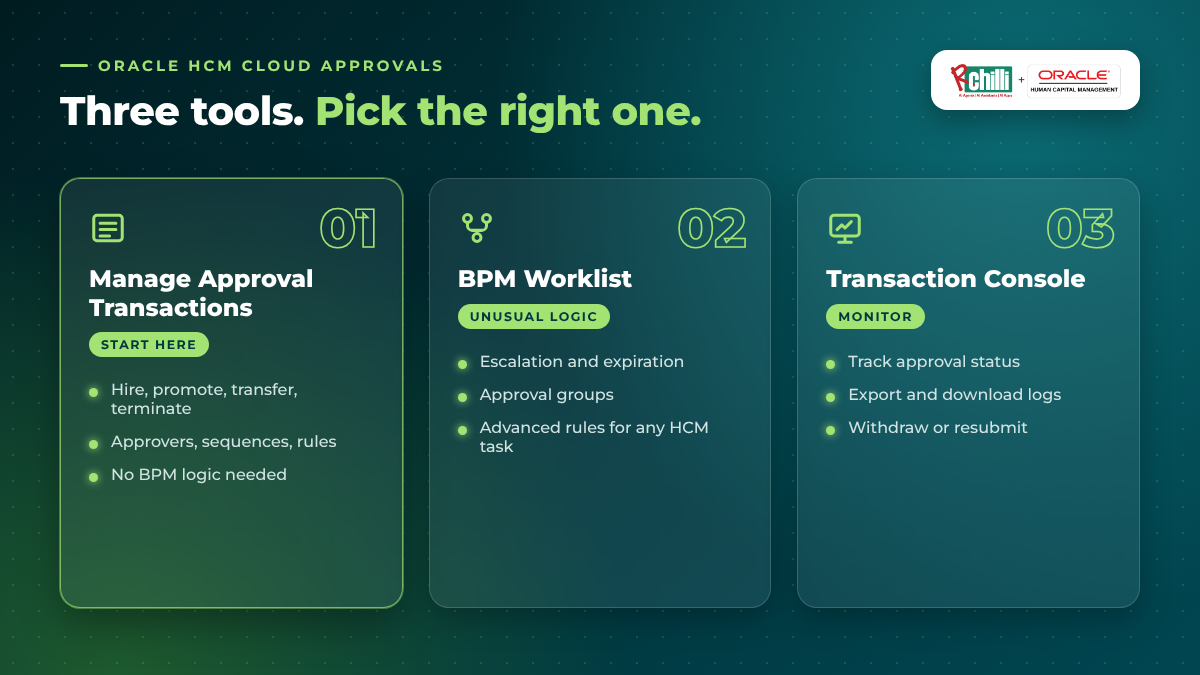
Three tools do the work: Manage Approval Transactions, BPM Worklist, and the Transaction Console. Each has a different job, and knowing which to open saves hours. Menu names and options can vary by release, so check each step against Oracle's documentation on defining HCM approvals and your own environment.
Manage Approval Transactions for standard HR changes
This is the simplified interface for approvers, approval sequences, rules and conditions on common transactions such as hire, promote, transfer and terminate. For most teams it's the right first stop, because it covers the everyday cases without anyone writing advanced BPM logic.
BPM Worklist for advanced rules and escalations
You reach BPM Worklist through Manage Task Configurations for Human Capital Management. It covers notifications, escalation, expiration, approval groups and advanced BPM rules for any HCM task.
Here's the confusing part: the two tools overlap, and it isn't always obvious which one to open. A simple rule of thumb: use the simplified tool for standard transactions and BPM for unusual logic.
Transaction Console for monitoring
The Transaction Console primarily monitors approval status. In current Redwood releases it also configures many task-level rules and settings, and BPM Worklist remains available for advanced scenarios.
How do you configure and test approval routing without breaking live transactions?
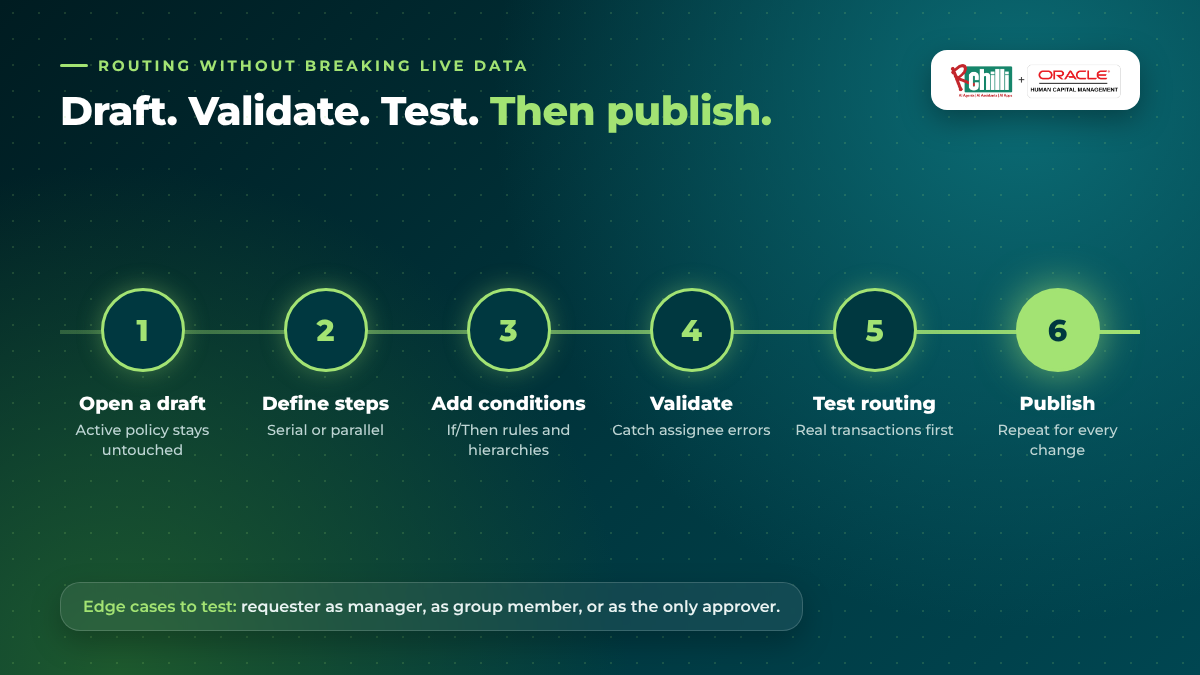
You build the flow in a draft version, validate the rules, test routing against existing transactions, and only then publish. The active policy stays untouched until you do.
Build the flow: steps, conditions and approver hierarchies
Arrange steps in serial order when one approver must act after another, or in parallel when approvers can act independently. Define reusable routing patterns, such as a supervisory hierarchy, position hierarchy or named user, and reference them from rules instead of rebuilding the logic.
Each rule is an If/Then expression. In the If section, pick an attribute such as department, business unit, legal employer, job, location or compensation amount, and combine tests with AND, OR and NOT. In the Then section, add the approver action and list builder.
For hierarchies, set the starting participant, such as the employee's manager, and the number of levels to traverse. Use Get Manager for a dynamically determined manager or Get User for a specified one.
Work in draft, validate, then test with real examples
Draft versions let you change rules without touching the active policy. The rule editor's Validate function catches errors in assignee logic and writes them to the business-rule validation log.
Next, run the routing-test function against transactions already in your environment. Review the calculated approvers, step order, skipped rules, warnings and errors, and fix anything unexpected before activation. Whether draft and routing-test options appear depends on your release and interface, so confirm they're available before you plan around them.
Run a small end-to-end test, then publish
Use a small sample that covers each condition: below and above a salary threshold, different departments, different management levels. Check that participating users have the right roles and that approval paths and sequences are active.
Open the approval type in a draft version.Define the serial or parallel steps.
Add conditions and approver hierarchies.
Validate the rules.
Test routing, then run a small end-to-end sample.
Publish, and repeat the cycle for later changes.
Why do approvals sometimes skip people, and how do you stop it?
Approvals skip people because of self-approval settings and rules that quietly assume approval. Picture a manager who submits their own transfer: if self-approval is allowed and the manager meets the rule's criteria, the request can approve itself without a second person ever seeing it. These bugs look fine in the configuration and only surface in an audit, so it's far better to find them in testing.
Block self-approval at the task level
In Setup and Maintenance, open Manage Task Configurations, select the task in BPM Worklist, and edit its configuration. Under Prohibit User Self-Approval, select the option to prohibit self-approval by users named in payload attributes.
Add an attribute that identifies the requester, such as task:creator. It must return the user's sign-in ID, not a display name or person number. Then choose whether to reassign approvals to those users' managers.
Check the rules that quietly assume approval
Review rules for options like self-approval enabled or requester approval assumed. If self-approval is on and the requester meets the criteria, Oracle can assume the approval and continue automatically.
Check minimum-approver counts too. An assumed approval can reduce the required count, so a step finishes without another person acting. Use Route to requester only when the requester must manually approve.
Test the awkward cases
Test a requester who is also the line manager, the first approver, an approval-group member, or the only eligible approver. Each case can break routing in its own way. A requester who is also the approver may be skipped or may auto-complete the step. An approval-group member can satisfy a group's minimum count on their own request. And when the requester is the only eligible approver, there may be no independent person left to receive the task.
For each case, confirm what actually happens in your configuration: the excluded approver may be skipped or the task rerouted, depending on your settings and the assignees available. Pay special attention to the case where no independent approver exists, and decide in advance who should handle it.
The safest default for segregation of duties is to prohibit self-approval, exclude the requester with a runtime user-ID attribute, and reroute approval to the manager or another independent approver.
How do approval rules differ across salary changes, timecards, and other HR transactions?
They differ by risk and by who owns the data. Oracle doesn't apply one universal manager-approval rule, and exact routing depends on how your organization configured it. The table below is an illustration; actual risk depends on your organization's controls and circumstances.
| Transaction | Typical approver | Typical routing logic | Illustrative risk level |
|---|---|---|---|
| Document records | First-level manager | Customizable by document type, category and country | Low |
| Timecards | Line manager or supervisor | Each assignment manager may need to approve, depending on configuration, with payroll deadlines in mind | Medium |
| Salary changes | First- and second-level managers | Conditional on amount or percentage | High |
| Transfers and promotions | First- and second-level managers | Conditions such as department, job, grade and location | High |
| Work schedule or location changes | Simpler route or auto-approved | Minimal conditions | Low |
Why risk and data ownership drive the design
Higher-impact changes get more eyes and more conditions. Timecards sit closer to operations, and one missed approval across multiple assignments can delay payment. Some transactions have no predefined rule, and with approvals enabled they can be approved automatically unless you create one.
Monitoring, actions and audit trail
Approvers can approve, reject or request information. Administrators can reassign pending approvals, approve on behalf of an assignee, and bypass approval where appropriate.
The Transaction Console lets you search, filter and export transactions, download diagnostic logs, and withdraw or resubmit failed items. Approval histories record decisions, and Advanced HCM Controls provides audit trails for setup and master data changes.
Where do native tools stop, and how does RChilli fit alongside Oracle?
Oracle's approval engine governs the transaction, meaning who signs off. Reading resumes and scoring candidates against a job is a different task, and that's where RChilli's AI-powered parsing and matching come in.
Comparison: native Oracle vs. Oracle plus RChilli
| Criteria | Native Oracle | Oracle plus RChilli |
|---|---|---|
| Approval complexity | Serial and parallel steps, conditions, hierarchies, escalation | Oracle's routing continues to handle approvals; RChilli addresses the recruiting work upstream |
| Integration | Built-in tools | Plugs into Oracle HCM, SAP SuccessFactors, Salesforce, Workday or custom systems via APIs and pre-built integrations |
| Security | Approval histories, Advanced HCM Controls | ISO 27001:2022, SOC 2 Type II, GDPR, HIPAA and PCI |
| Enterprise scale | Governs HR transactions | Enhanced Candidate Profile Import, candidate matching, skills-based shortlisting that redacts personal identifiers, job description enrichment, custom AI agents |
According to RChilli, the company has over 25 years of experience and 950+ customers, and its AI agents improve job matching accuracy by up to 45%. Ask RChilli for the study behind the 45% figure, including its baseline and conditions, before relying on it.
What this looks like in a recruiting flow
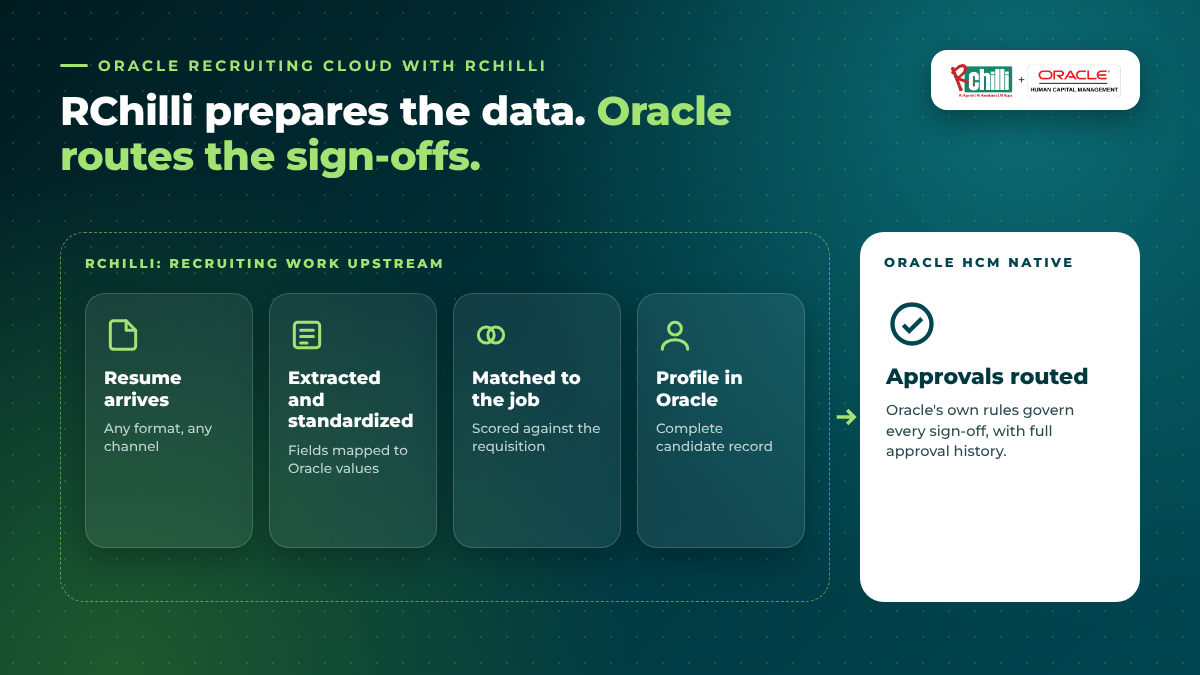
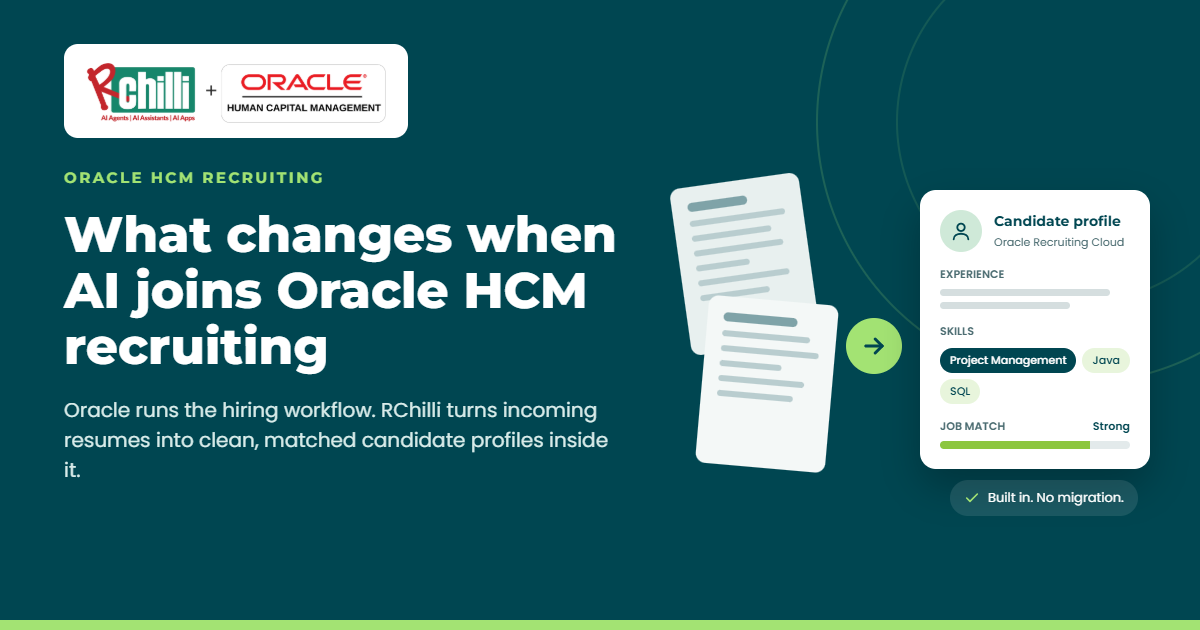
A resume arrives, and RChilli extracts the data and standardizes it. It then matches the candidate to the requisition, and the structured candidate data flows into Oracle through the integration.
From there, Oracle's native routing governs any approvals. RChilli supports the pipeline that feeds your Oracle processes.
How do you choose the right combination for your team?
Start native, then add tools only where you find a clear gap. Measure each need against four criteria:
Start native, then add only where there's a clear gap
- Approval complexity: Standard and conditional routing belongs in Oracle's tools.
- Integration needs: Check whether data must flow between Oracle and other systems.
- Security and compliance: Confirm any added tool meets SOC2 and GDPR expectations.
- Enterprise scale: Ask whether manual work grows with candidate volume.
Signs you need integration or customization
You need more than native tools when candidate volume is high, recruiters still enter data manually, or DEI goals call for anonymized screening. Custom recruiter-assist workflows are another sign. RChilli's custom AI agents handle tasks like job description enrichment and candidate scoring inside your Oracle HCM environment.
You probably don't need anything extra when standard approvals are already covered by routing rules. Don't add tools to solve a problem that configuration solves.
Start with Oracle's workflow tools, add RChilli for recruiting
To automate approvals in Oracle HCM Cloud, begin with Oracle's own tools: configure in draft, validate, test with real transactions, and block self-approval. Add RChilli where the work is recruiting volume, not approval logic.
Before you buy anything, configure one transaction, test it, and see where the manual work remains. That answer will tell you more than any feature list. If it points to resume intake, matching or screening, explore how RChilli's Oracle-integrated AI agents handle the recruiting side.
Frequently Asked Questions
Do I need additional software to automate standard HR approvals?
You don't need additional software when Oracle's built-in routing rules cover your standard approvals. Start with Manage Approval Transactions for common HR changes, and use BPM Worklist for unusual logic or escalations.
What happens if an approval-enabled transaction has no predefined rule?
Your transaction can be approved automatically unless you create a rule. Check your configuration for transactions without predefined rules, especially when an independent approval is needed.
What should I do if the requester is the only eligible approver?
You should decide in advance who can handle the approval independently. Depending on your settings and available assignees, the requester may be skipped or the task may be rerouted.


Leave a Reply